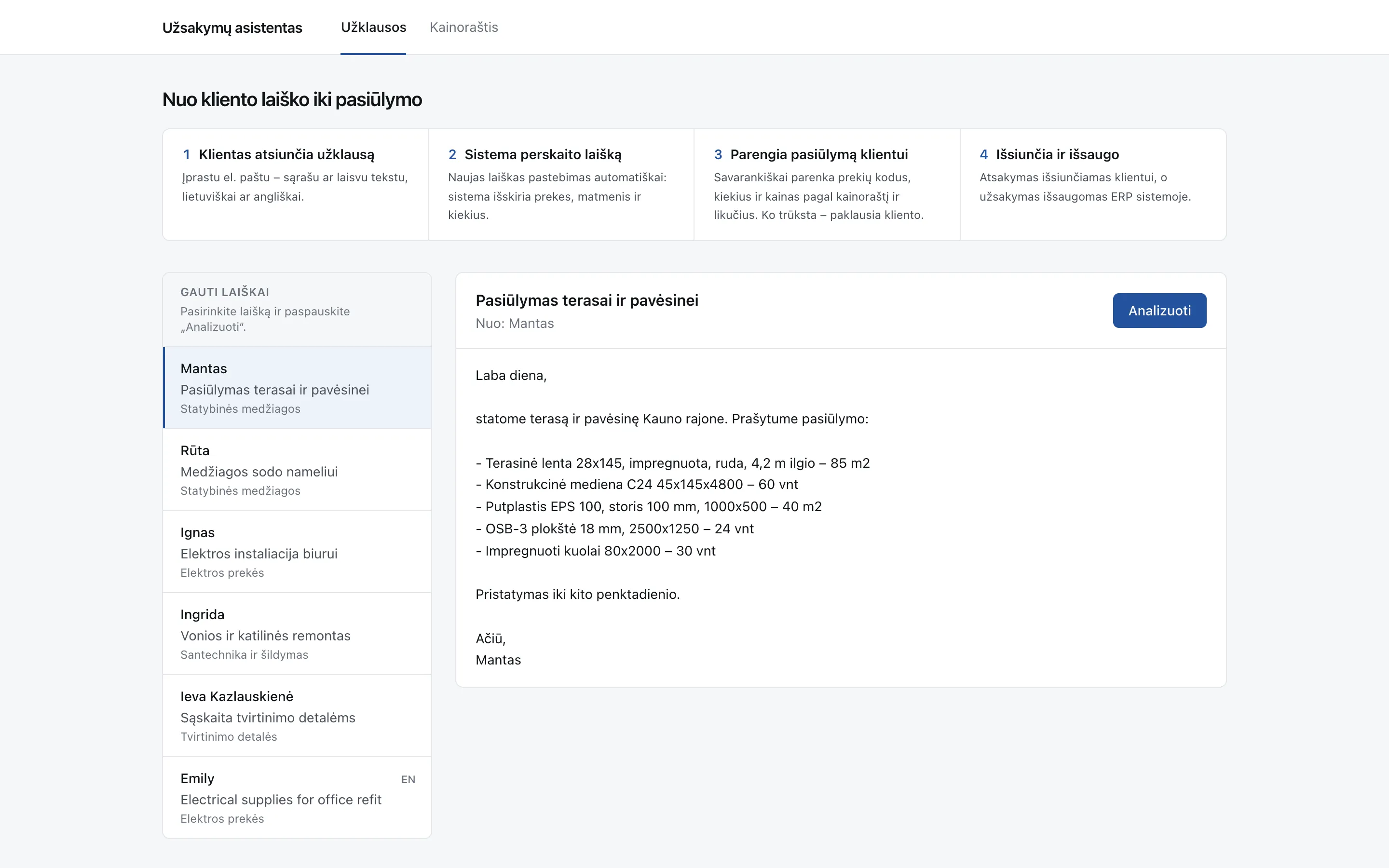
- 6sample emails, in Lithuanian and English
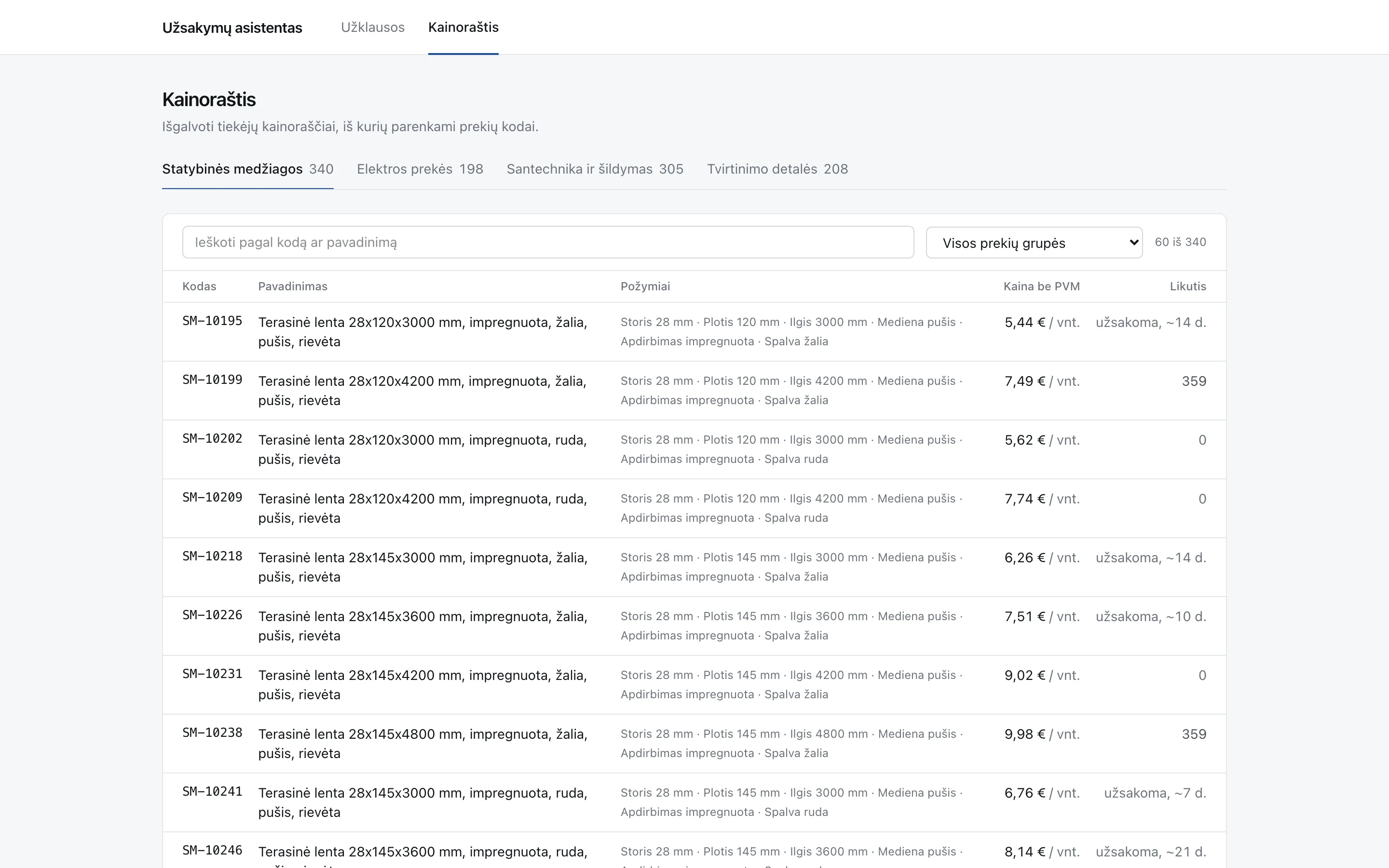
- 4supplier price lists to quote from
- 1,051products to match each request against
The problem
Sales teams at distributors get requests by email in every shape: neat lists, free text, mixed units, sometimes in English. Turning each one into a quote means finding the right code among hundreds of near-identical products, converting square metres or metres into boards, coils or packs, checking stock and writing the reply. It’s slow, repetitive work, and wrong codes or quantities are easy to miss.
What the assistant does
- Reads the request as written. Lists or free text, in Lithuanian or English. It picks out the products, dimensions and quantities.
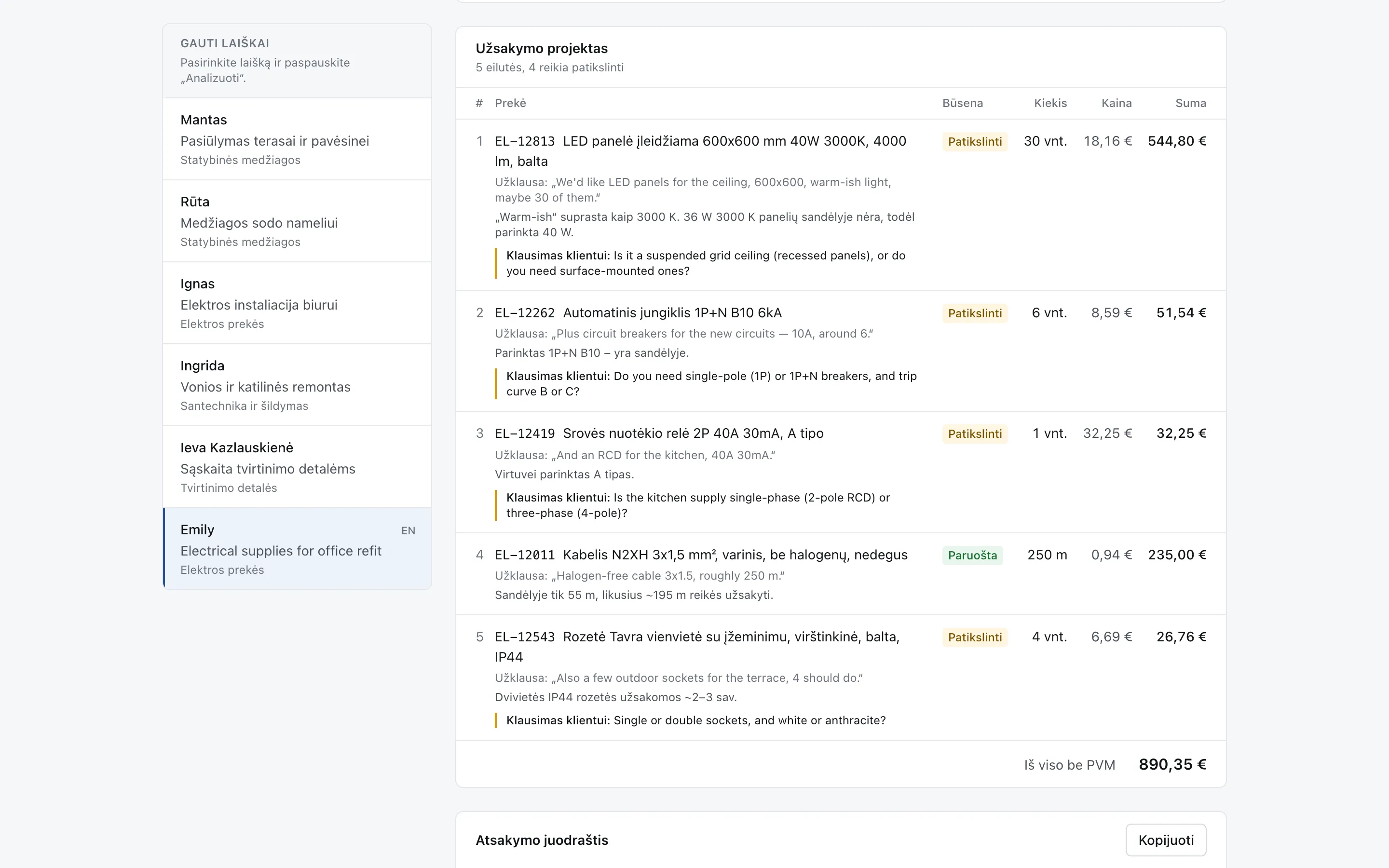
- Finds the exact product code. Each line is matched to an item in the supplier’s price list, with the client’s own wording shown alongside.
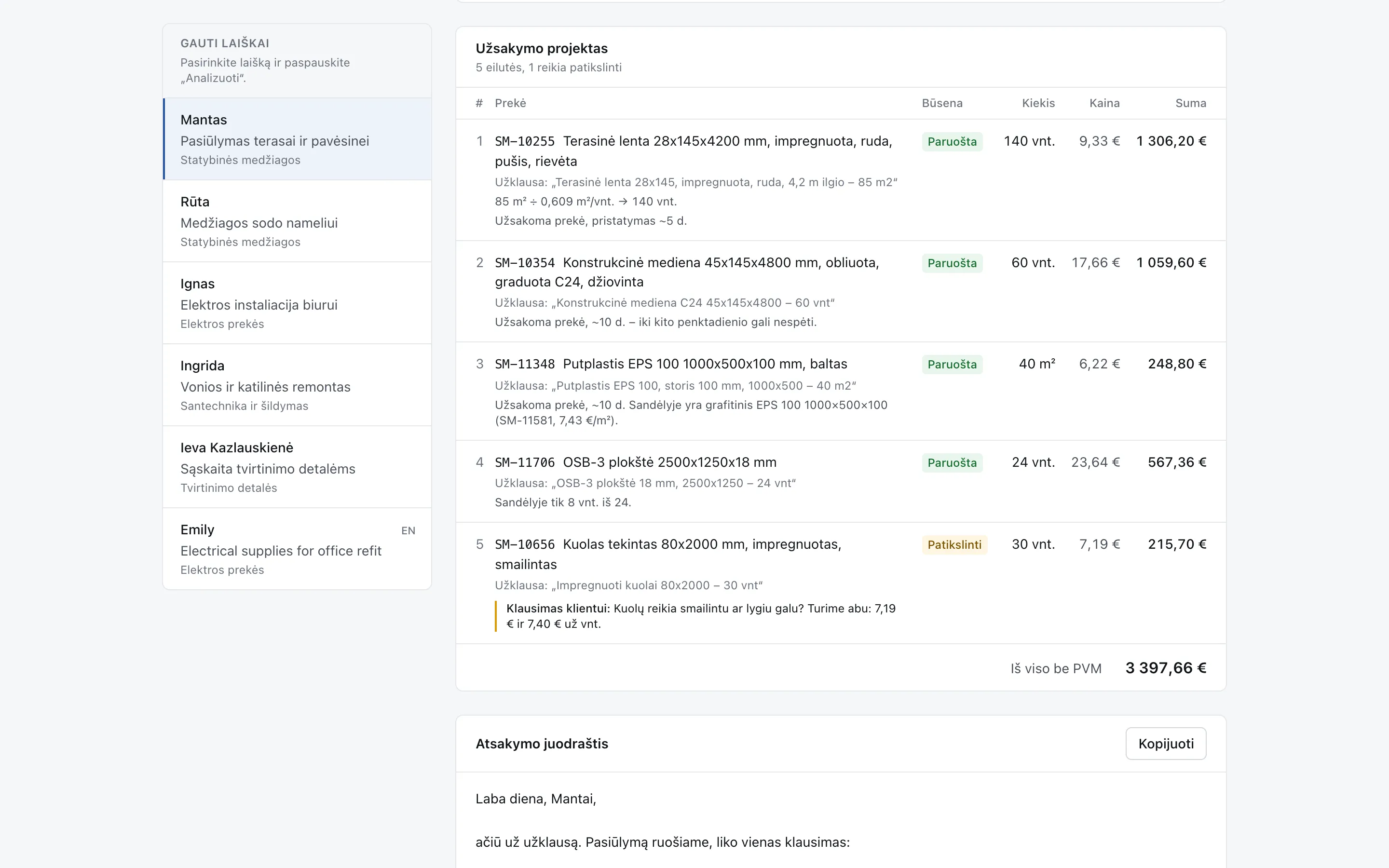
- Converts to sale units. 85 m² of decking becomes 140 boards, 300 m of cable becomes 3 coils and 1,000 screws become 2 packs, with the calculation shown.
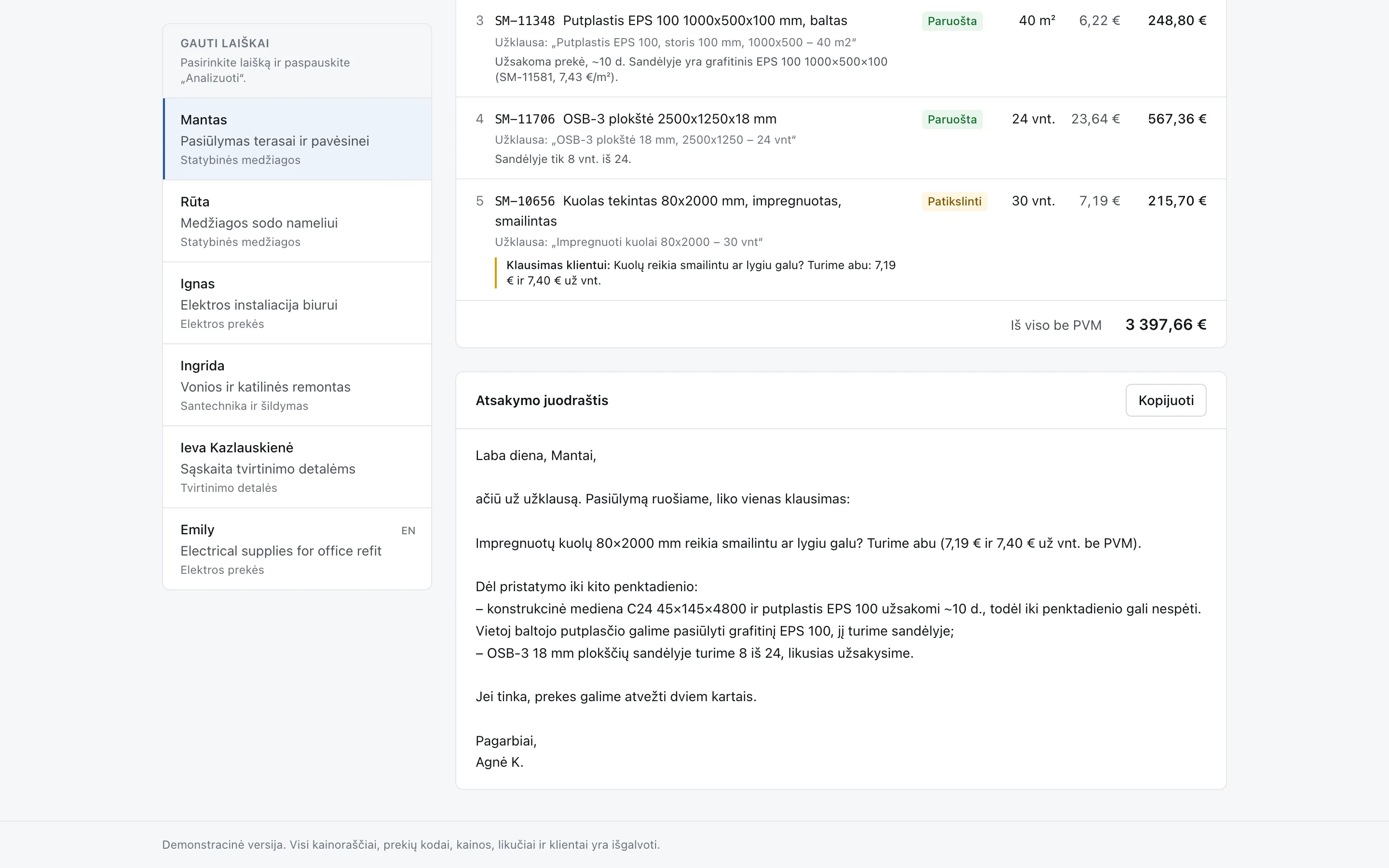
- Checks stock and lead times. It flags items that must be ordered in, are only partly in stock or won’t arrive in time, and suggests a stocked alternative where there is one.
- Asks when something is unclear. Ambiguous lines are marked for clarification, with a ready question for the client.
- Drafts the reply. A priced draft order and a reply email, ready to check and send.
In a real deployment
The assistant watches the sales inbox, so new requests are picked up as they arrive, and once the reply goes out the order is saved in your ERP. It works from your own price list, stock levels and pricing rules.
Try it
Pick one of the six sample emails and press Analizuoti (Analyse). The demo shows the draft order and reply prepared for each sample. The Kainoraštis (Price list) tab lets you browse the four fictional supplier price lists the codes come from.
Where it fits
The demo is set up for a supplier of building materials, electrical goods, plumbing and fasteners. The same approach suits any distributor or wholesaler that quotes from a large catalogue by email.